
One resume. Every job.
Share any job posting. Maggy rewrites your resume for that role, and you approve every change before the PDF.

Wherever you find the job, it comes to Maggy.
Maggy reads the posting from a shared link, so any board or careers page works. There is no integration to set up.
From job post to finished resume, in three steps.
Share the posting
Hit share from wherever you found the role and send it into Maggy. No copy-pasting between apps.
Maggy tailors it
Your master resume is rewritten against that job description, and every edit is shown to you.
Approve, then export
Nothing is generated until you say so. You leave with a PDF you would happily send.
Everything between finding the role and sending the resume.
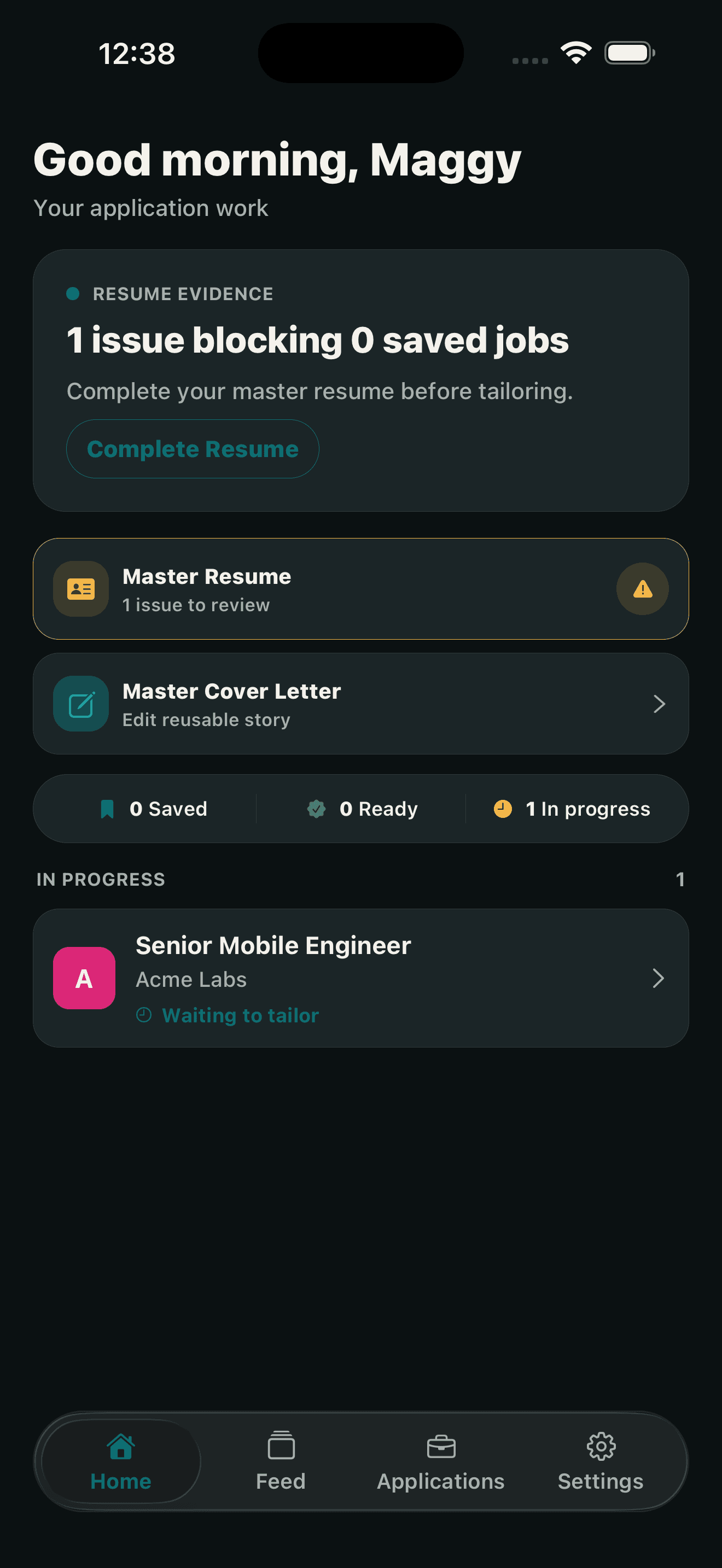
Your next move, on the home screen
Maggy opens on what is blocking you and what is ready to send, so the next action is never buried.
Swipe the Feed
Matched roles arrive one at a time. Swipe left to pass, right to save it into your hunt.
Share a posting
A job URL from the share sheet is all Maggy needs to start.
Approve before export
The PDF is created only after you sign off on the rewrite.
Track the whole hunt
Saved, ready, applied, interview. Every role carries its own status and its own next action, so nothing quietly stalls at the bottom of a list.

Maggy is live on the App Store.
Free to download for iPhone. Tailor your resume for the next role from wherever you found it.